Appearance
Read a contract nobody has verified
Add the contract's ABI to your library and read the contract by its functions' names, or call a function by its signature with no ABI.
When no registry has a verified ABI for a contract, CQL refuses a call on it with CQL3008. This happens with a contract you deployed yourself and have not verified, or one whose source only its team has. Their build already wrote the ABI, in the artifact a compiler leaves for each contract.
1. Check again
A contract can be verified after CQL last looked, and CQL remembers a not verified answer for a while. So first press check again beside CQL3008 in the Diagnostics tab. It asks the registries again, and the error goes if they now have the ABI.
2. Add the ABI
Press Add ABI at the bottom of the rail. Drop the artifact's file onto the dialog, or press Choose file…, or paste its text. A Foundry artifact is the JSON file under out/ named for the contract. Hardhat writes one under artifacts/. A plain JSON ABI or a list of signatures works too. The dialog says what it found, such as "Compiler artifact for Vault — 3 items", and fills in the name from it.
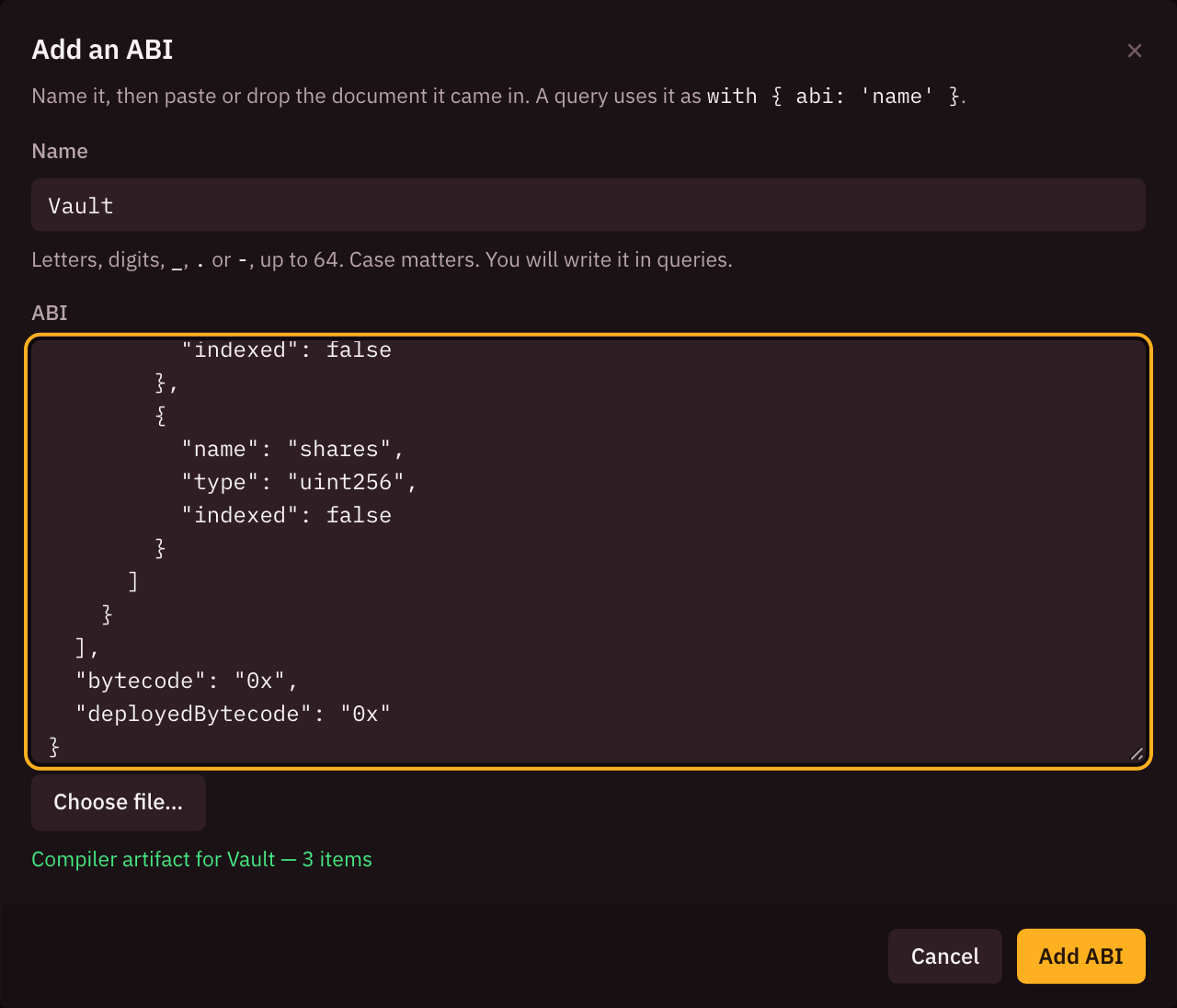
Keep the name or change it. The name is what your queries will say. Press Add ABI in the dialog, and the entry appears in the rail.
3. Insert its reference
Click the entry. Its dialog lists every function and event the ABI declares, and the reference a query uses it by, with Insert beside it.
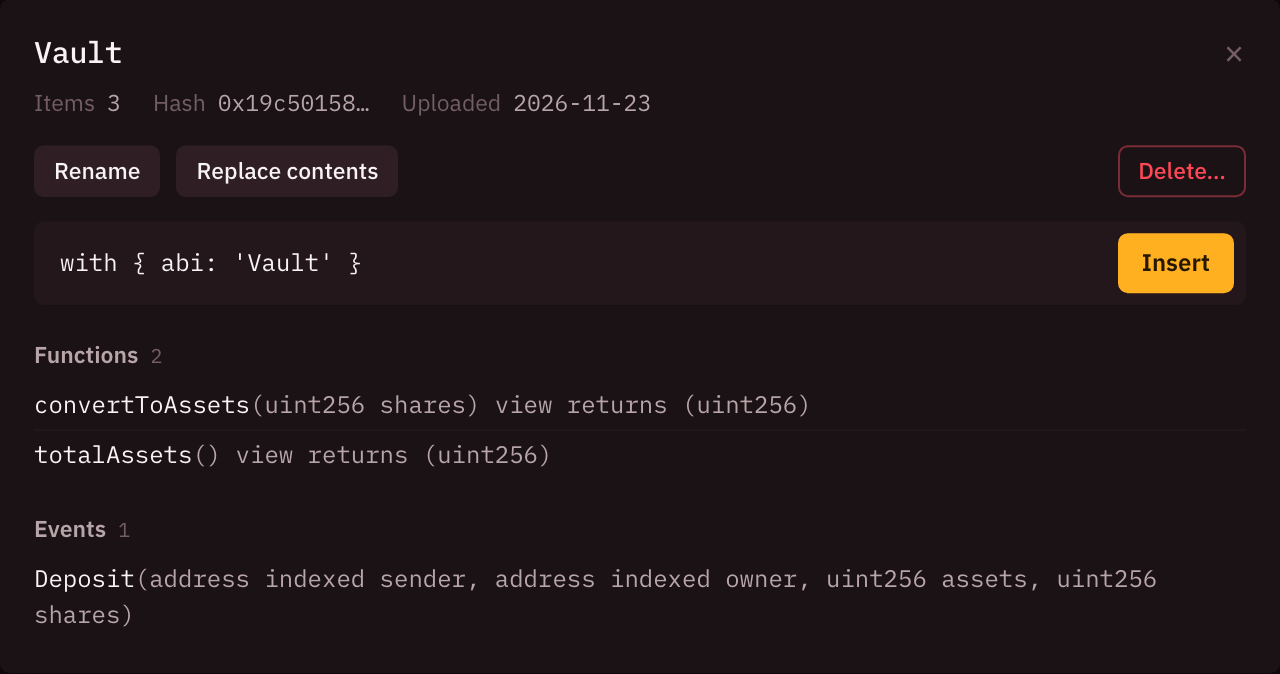
Put the cursor after the contract's address in the editor. Press Insert, and it writes with { abi: 'Vault' } there.
4. Run it
Here stETH stands in for your contract, with an ABI named lido in your library that holds getPooledEthByShares:
cql
let stETH = ethereum:0xae7ab96520DE3A18E5e111B5EaAb095312D7fE84 with { abi: 'lido' };

from stETH as s
| project { ethPerShare: format(s.getPooledEthByShares(1e18), 18) }You get one row with the share rate at the newest block: the same value the verified ABI gives, since lido declares the same function. Completion offers the library ABI's functions after s.. If you write a name the ABI does not have, CQL refuses it before the query runs.
Without the ABI: .call()
If you have no ABI but know a function's signature, call it by that signature. It needs nothing in your library:
cql
let stETH = ethereum:0xae7ab96520DE3A18E5e111B5EaAb095312D7fE84;

from stETH with { abi: none } as s
| project { totalShares: s.call('getTotalShares()(uint256)') }The signature is the function's name and input types, then its output types. with { abi: none } stands in for an unverified contract here: it tells CQL not to look for an ABI. Write one .call for each function you want. .call() shows every form.
When the contract changes
Upload the new artifact under the same name — the dialog's button reads Replace — or use Replace contents on the entry. Every query that names it reads the new ABI on its next run. Runs already made keep the ABI they ran with.
See also
- Your ABI library — the name rules and every action on an entry.
- Finding a contract's ABI — where CQL looks, and in which order.
.call()— every form of a call by signature.