Appearance
The editor
The editor is where you write a query, and it checks the query, completes it and explains it as you type.
It opens with a starter query, which reads stETH's share rate once a day for three days. Change it, replace it, or open a saved query or a recent run from the rail. Whatever is in the editor is what Run runs.
Checked as you type
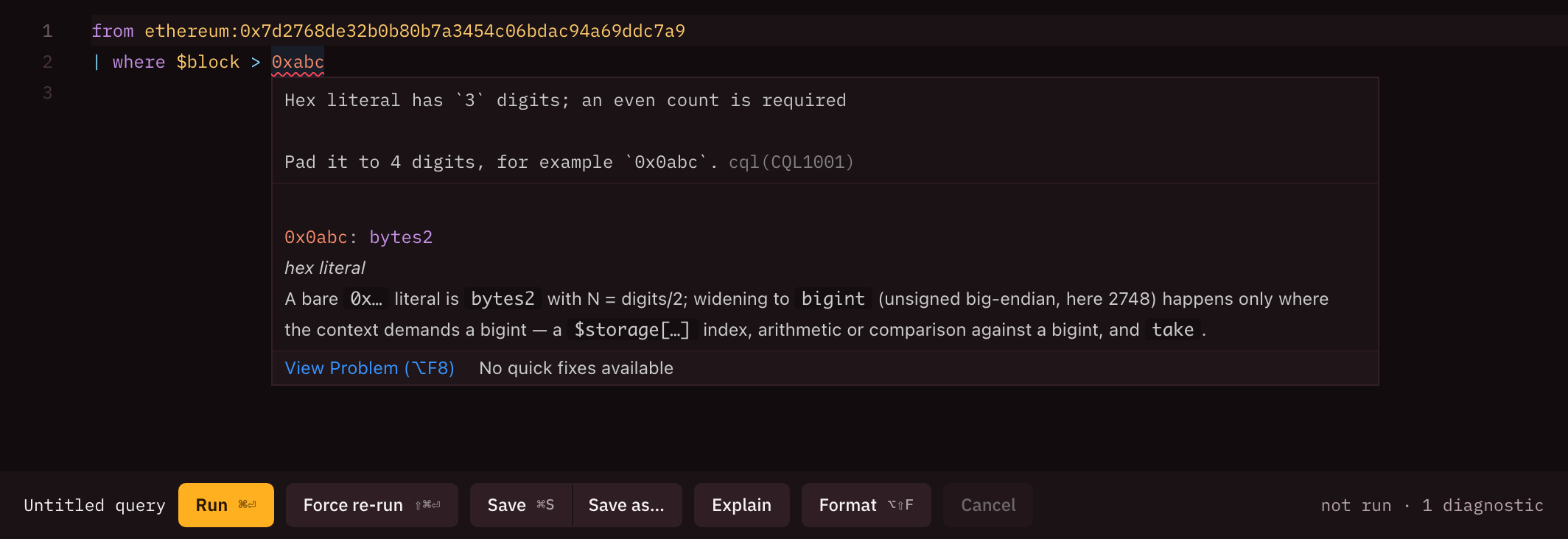
The editor checks every keystroke in your browser and underlines a mistake at once. Mistakes it underlines include a word the language does not know, a bracket left open, and a hex literal with an odd number of digits. Pause, and the editor also checks the query against the chains it reads. It checks whether the contract has an ABI and whether the block you asked for exists. It underlines anything it finds there too.
Hover over a squiggle to read what is wrong, with the code and, often, a hint at the fix. The Diagnostics tab lists every one of them. See Errors and diagnostics.
Completion
The editor offers what can come next as you type: an operator after |, a field after {, a column, a function, a chain name after :. After a contract's alias and a dot, as in s., it offers that contract's functions, read from its ABI. The first time a contract is asked about, the list shows a line "Looking up the members of …" while heto fetches them. The list fills when they arrive.
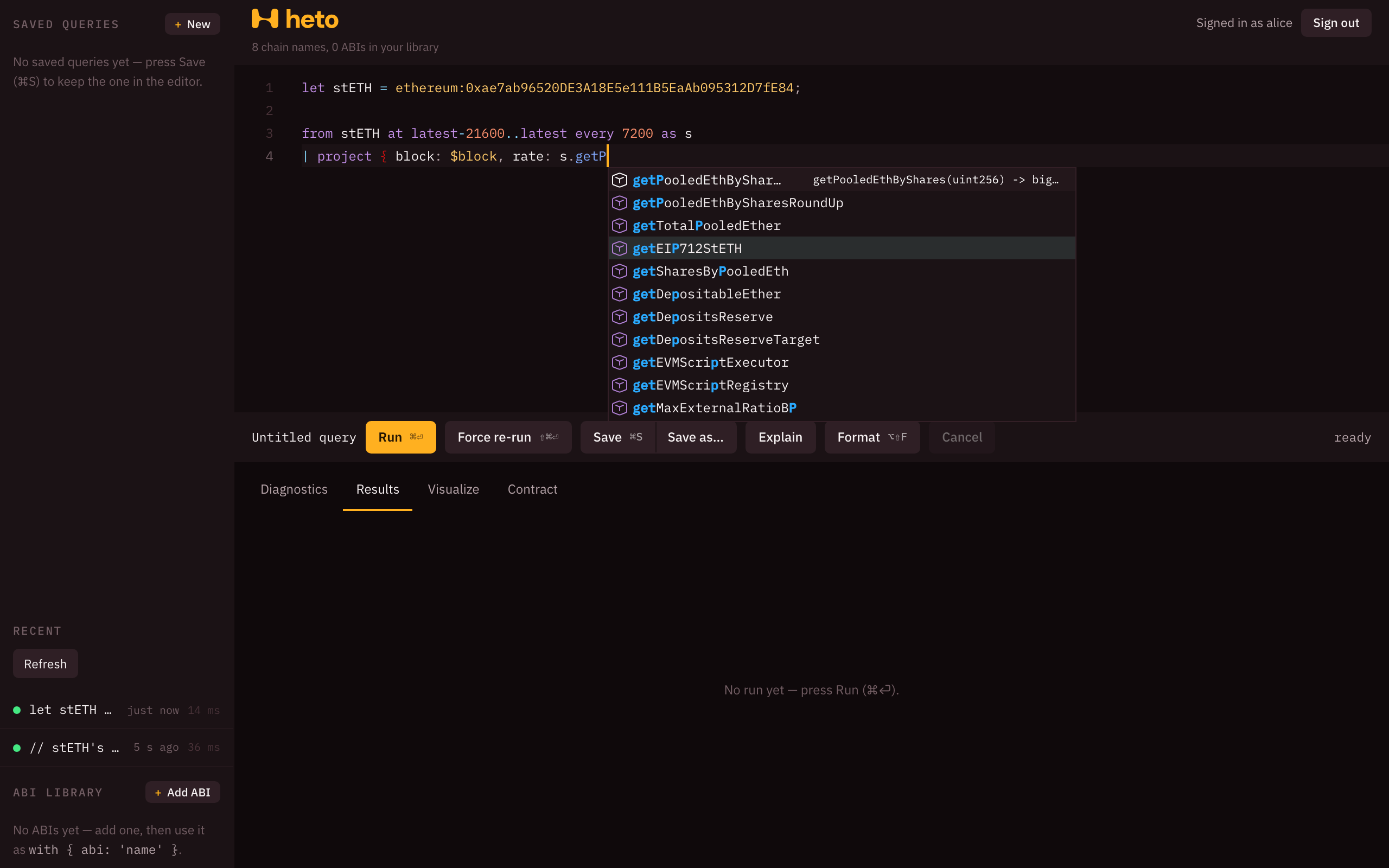
If the list is closed, press ⌃Space (Ctrl+Space) to open it again. ⏎ or Tab takes the highlighted entry. Esc closes the list.
Inside a function call's brackets, the editor shows the function's arguments and which one you are on. ⇧⌘Space (Ctrl+Shift+Space) shows them again if they are closed.
Hover
Hover over any word of the query to see what it is. The hover shows a keyword and what it does, a function and its arguments, or a literal and the type it has.
Format
Format in the run bar, or ⌥⇧F (Shift+Alt+F) in the editor, arranges the query in the standard way: one operator a line, consistent spacing. Format leaves a query that does not parse as it is, because half a query has no standard layout.
Format keeps your comments. A comment on a line of its own stays above the line that follows it. A comment at the end of a line stays at the end of that line. A comment between the words of one stage moves to the end of the line of that stage, or to a line above it.
Opening a query from a link
A link to the workbench can carry a query: /?q= followed by the query's text. The Open in workbench link under each example in this handbook does this. When you open such a link, it puts that query in the editor in place of the starter. Nothing runs until you press Run.
See also
- Running a query — what the run bar says, from "planning…" to "complete".
- How a query is put together — the query itself.
- Keyboard shortcuts — every key the editor answers.