Appearance
Recent runs
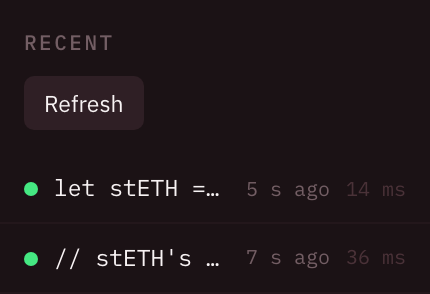
Recent, in the rail, lists the queries you ran most recently, and opens any of their runs again without running it.
What it lists
The list holds the ten most recent queries you ran, newest first, each once however many times you ran it. A row names a query by its first line, so a query that opens with // Daily share rate is listed as that comment. Hover a row for the query's whole text.
Opening a run
Click a row and its run opens: its query in the editor and its rows in the Results tab. The Results tab comes forward from any tab. Nothing runs again, and nothing is charged. You are looking at the result you already have. The page's address becomes the run's, /runs/…, so Back returns to where you were.
If the editor holds unsaved changes, the workbench asks first, as it does before anything replaces them.
⌘-click (Ctrl+click) a row, or middle-click it, to open the run in a new tab and keep this one as it is.
See also
- Saved queries — for a query you mean to return to by name.
- Running a query — the address a run lives at.